
Features
Everything an office does, online.
01 · Talk
Proximity voice and video
Your microphone and camera connect you to the people around you, and only them. Walk closer and they get louder; walk away and the conversation fades.
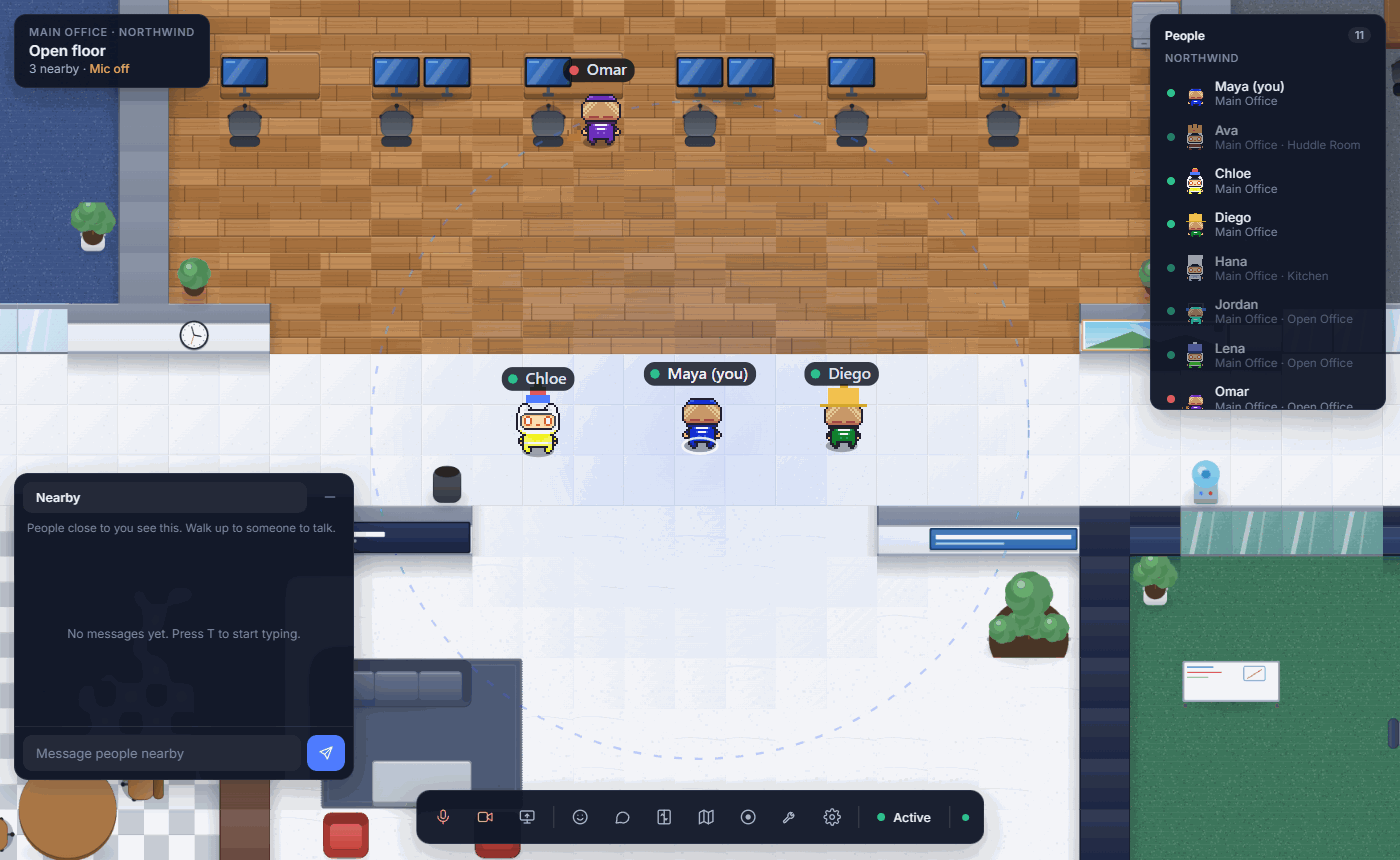
- Spatial audio: voices come from where people stand
- Video tiles appear for the people you are talking to
- Share your screen with everyone who can hear you
- Noise suppression and echo cancellation built in
- Blur your background, or choose a picture of your own
02 · Meet
Rooms that work like rooms
Private rooms are separate conversations. Everyone inside hears each other clearly, and nobody outside hears a thing.
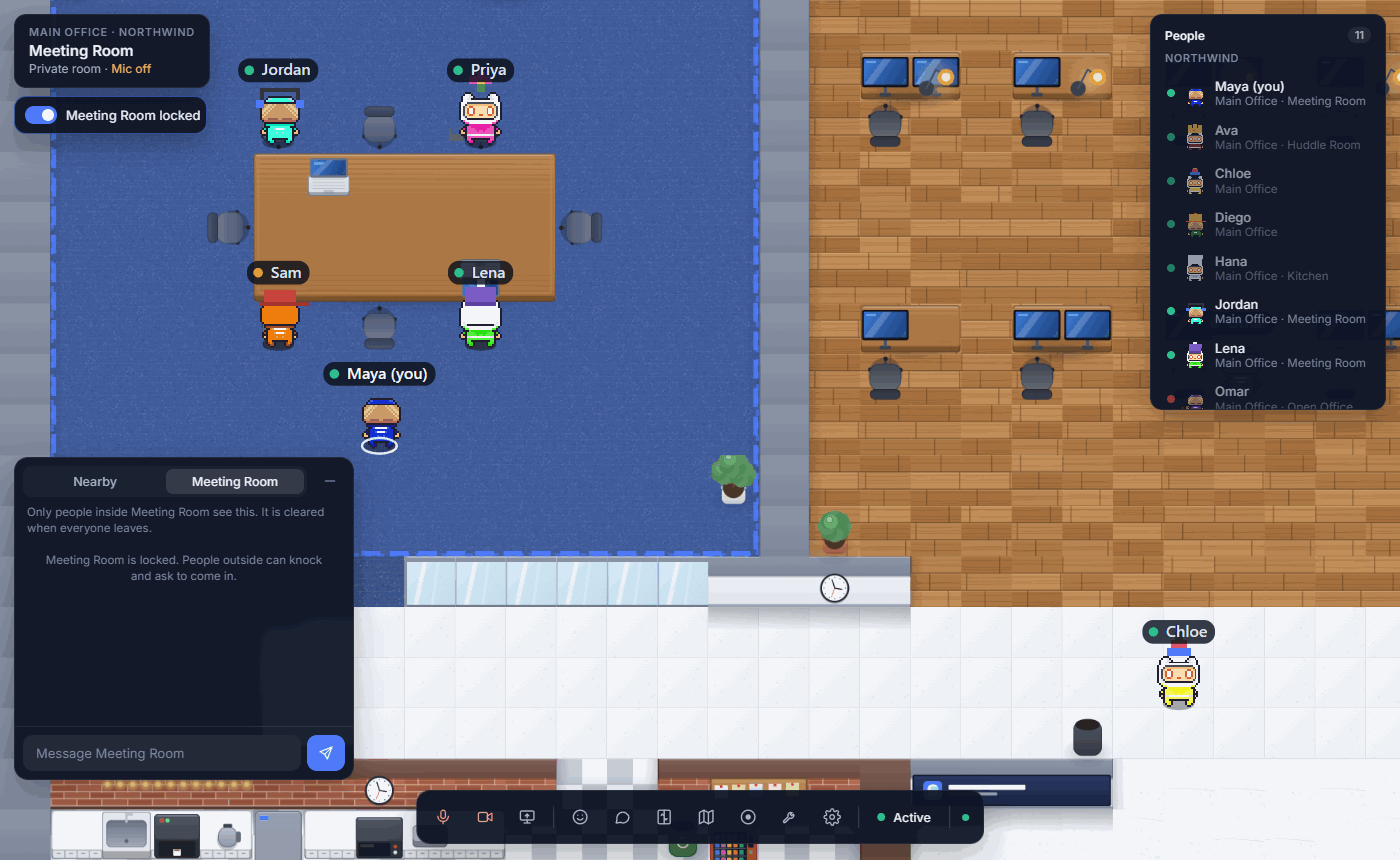
- Meeting rooms, focus booths, kitchens and lounges
- Lock a room with a PIN; people outside knock to be let in
- Room chat for links and notes, erased when everyone leaves
- Record a meeting to your own computer
03 · Find people
The people board
See who is in the office right now, grouped by department, with the floor they are on and what they are up to.
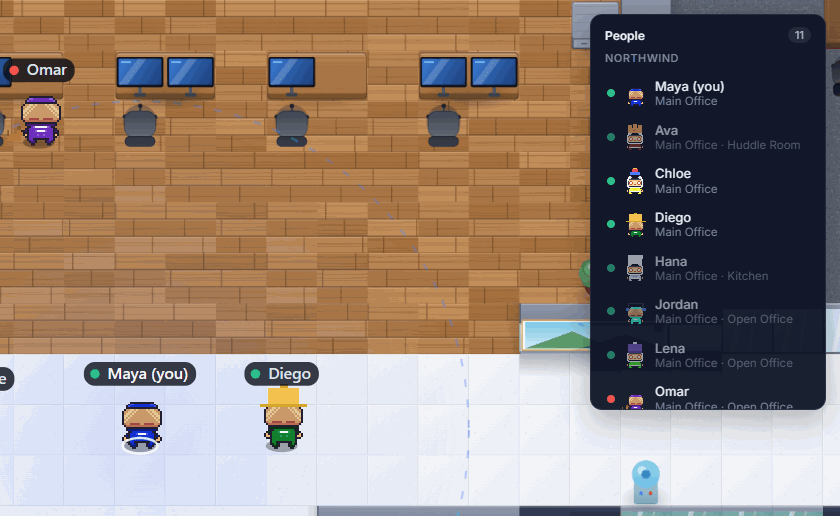
- Active, busy and do not disturb
- Follow someone, locate them, ping or message them
- Direct messages reach people on any floor
- Double-click anywhere to walk there
04 · Build
The office builder
Design your office in the browser, while people are working in it. Changes appear for everyone as you make them.
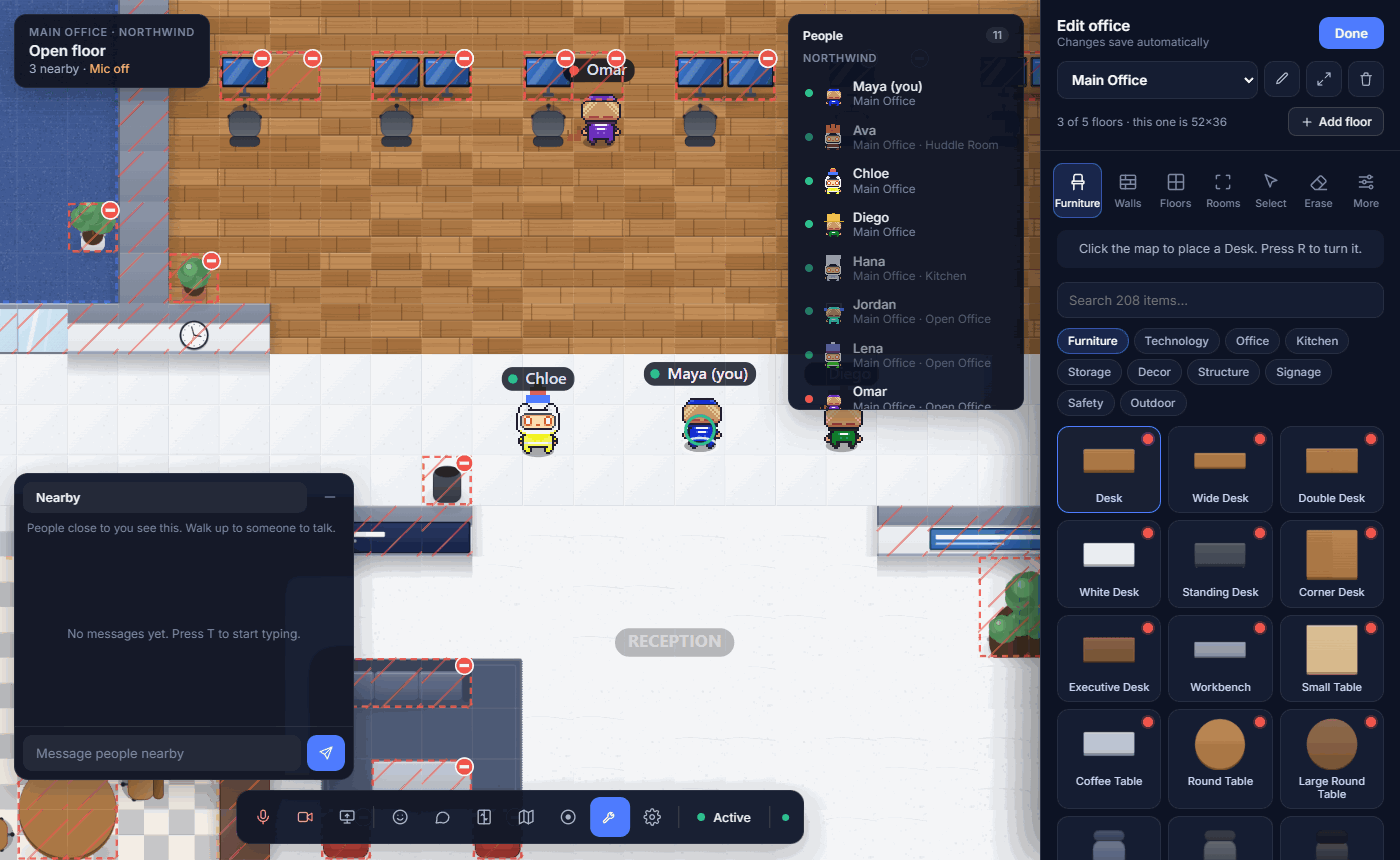
- More than 200 pieces of furniture, plants and decorations
- Draw walls in six styles, paint floors, mark out rooms tile by tile
- Add a floor from scratch or from a furnished template
- Connect floors with elevators
05 · Run it
Your team, your rules
Invite people by email, choose who runs the office, and bring visitors in without giving them an account.
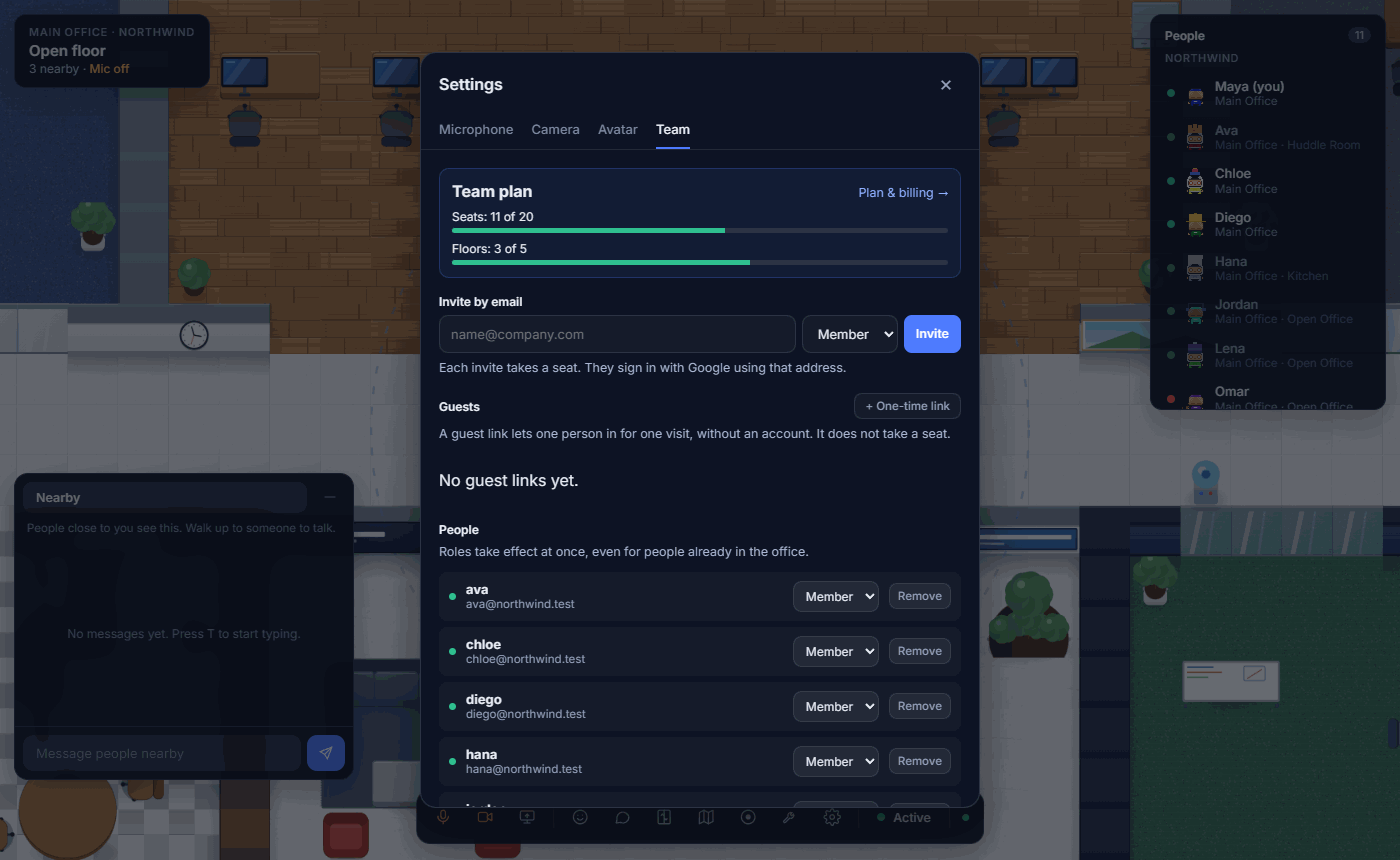
- Sign in with Google, or with any email and a password
- Admins run the office; members work in it
- Email invites that hold a seat until they are accepted
- One-time guest links for clients, candidates and contractors
06 · Play
Mini games for the breaks
Every office needs somewhere to switch off for five minutes. Walk up to the arcade cabinet or the pinball machine and press E to play, right there in the office.
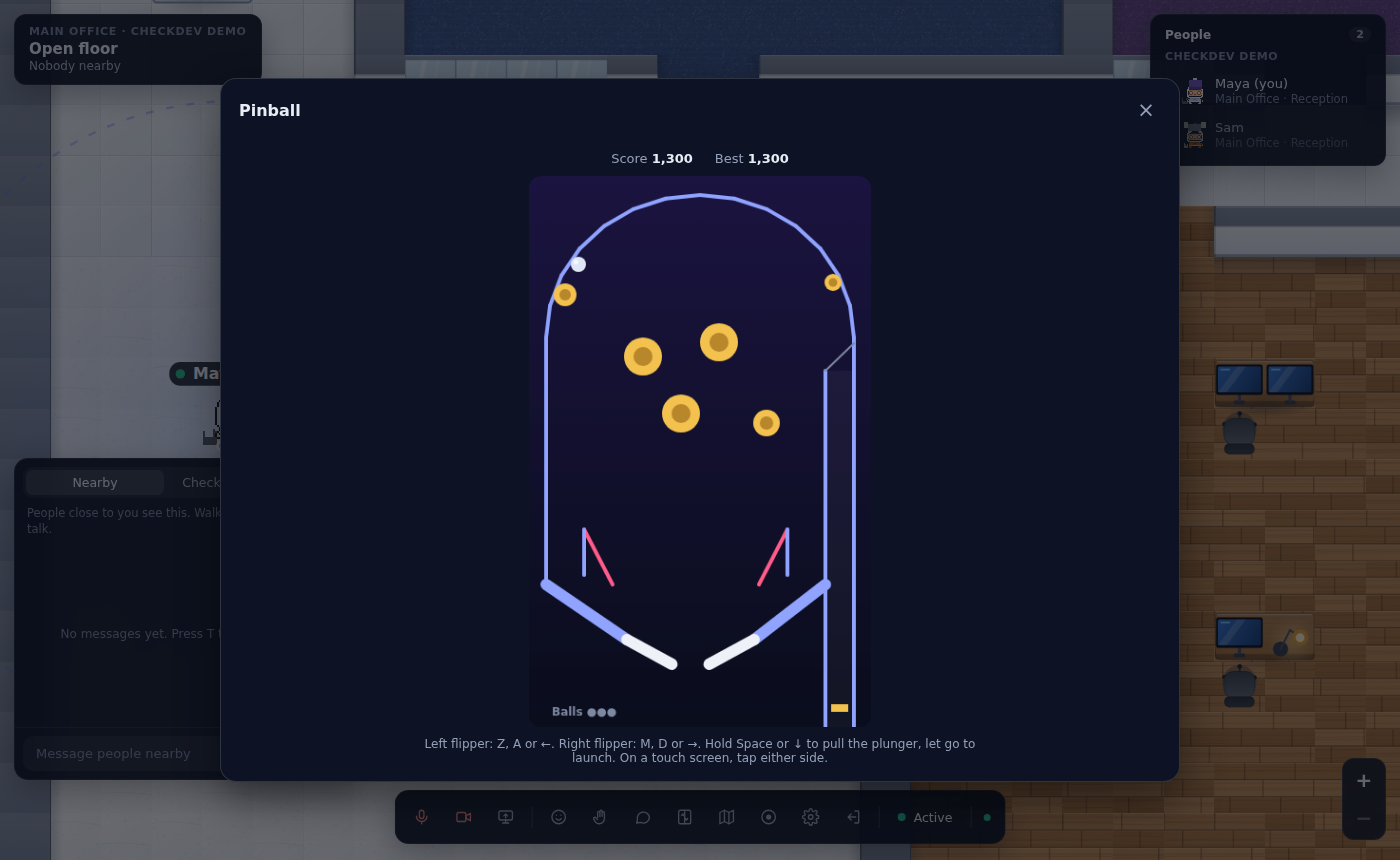
- Pinball with flippers, a plunger, bumpers and three balls
- Snake and Brick Breaker on the arcade cabinet
- Your best score is remembered
- Keyboard, mouse or touch screen
- Hop in an F1 kart and race across the office
And the little things.
Small touches that make it feel like a place.
Characters with personality
Pick a character, a colour, a hat and a pet. Change them whenever you like.
Map view
See the whole floor at a glance and find your way around.
An elevator that dings
Arrive at the elevator, choose a floor, and step out where you need to be.
Keyboard friendly
Walk with WASD or the arrow keys, chat with T, interact with E.
Pings that find you
A nudge reaches someone wherever they are in the building, unless they are on do not disturb.
Apps for Windows and Mac
Or use it in the browser. Chrome and Edge recommended.
F1 karts
Hop in a kart in reception and get across the office faster, in one of ten racing colours.
A chat for the whole company
One conversation under your company's name that everyone sees, on every floor, kept for 24 hours.
Clock out
Leave at the end of the day with one click, and start tomorrow on the floor you left from.
Raise your hand
Wait your turn in a busy room. Hands are shown in the order they went up.
Do not disturb
Heads down: calls, pings and messages wait until you are back.
Claim a desk
Make a desk yours, and walk straight to it whenever you come in.