
Download
Your office, on your desktop.
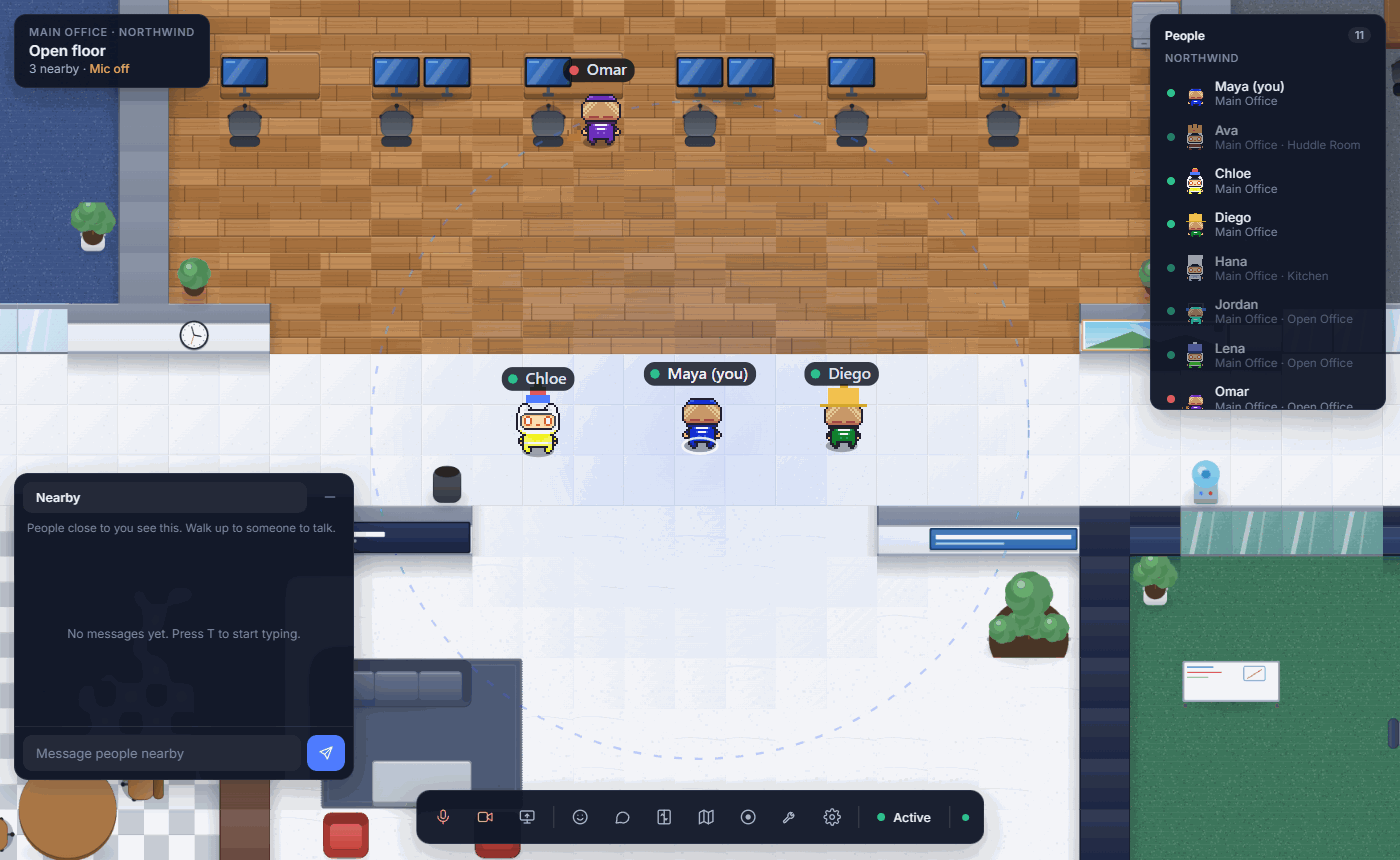
CheckDEV in its own window, one click from the taskbar or the dock. Sign in with your browser once, and it opens straight into your office.
Why use the app?
Everything is the same office as in the browser. The app just makes it feel like part of your computer.
Its own window
Keep the office open beside your work, not lost among browser tabs.
Share one window
Show a single window instead of your whole screen, from a proper picker.
Sign in with your browser
Google already knows you there. The app opens it, then brings you straight back.
Straight into your office
It remembers the last office you used and opens there next time.
Where you are, at a glance
The title bar shows your room and floor, with Map view one click away.
Always up to date
The office itself updates the moment we ship; the app only changes when its window does.
Installing
Which computers are supported?
Windows 10 and 11 (64-bit), and macOS 12 or later on Apple silicon and Intel.
Windows warned me when I opened the installer.
Choose More info, then Run anyway. The installer lets you choose where CheckDEV goes and adds it to your Start menu and desktop.
My Mac will not open it.
Drag CheckDEV into Applications and open it once. If macOS stops it, open System Settings, then Privacy and Security, and choose Open Anyway. You only need to do this once.
Do I need the app?
No. CheckDEV works fully in Chrome or Edge. The app is there if you prefer a window of its own.